
안녕하세요! 여러분,
21-117 입니다~
지난편에는 플레이어 설정 및 패키지 설치를 도와드렸다면~
이번 편에서는 직접 XR Interaction Toolkit을 적용하여 배치 해볼 예정입니다~
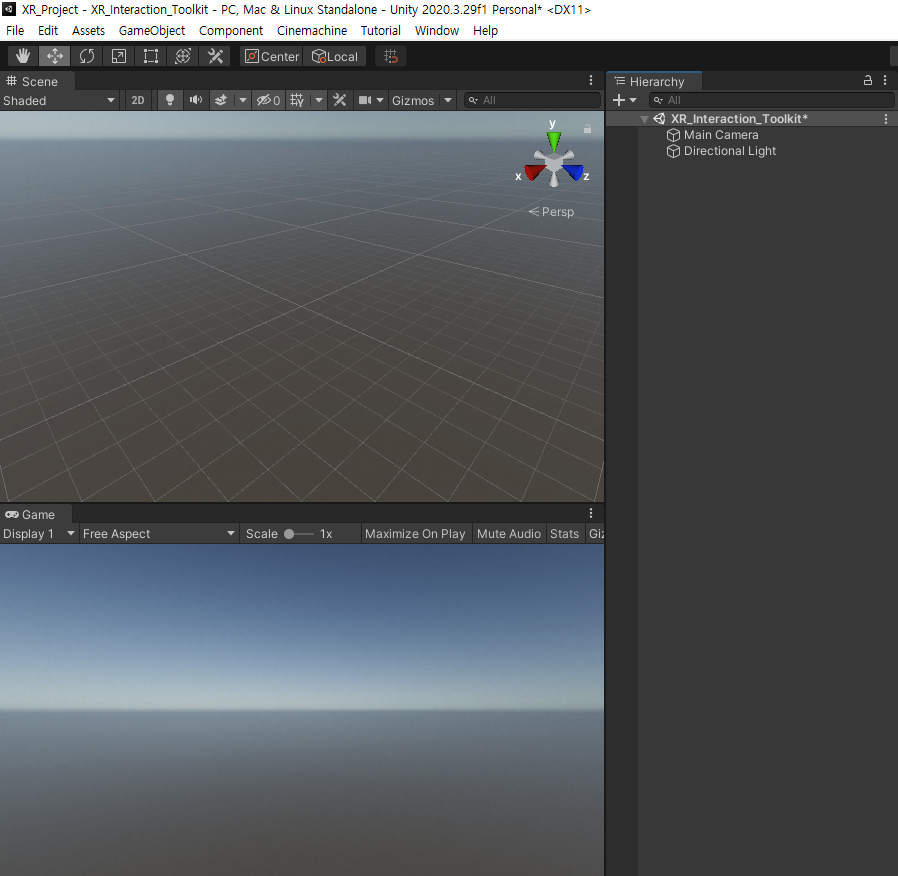
우선 비어 있는 씬에 테스트 하기 위한 오브젝트를 적당히 배치해줍니다!

저는 단순하게 바닥과 큐브 3개를 놓아 간단하게 설정하였습니다~
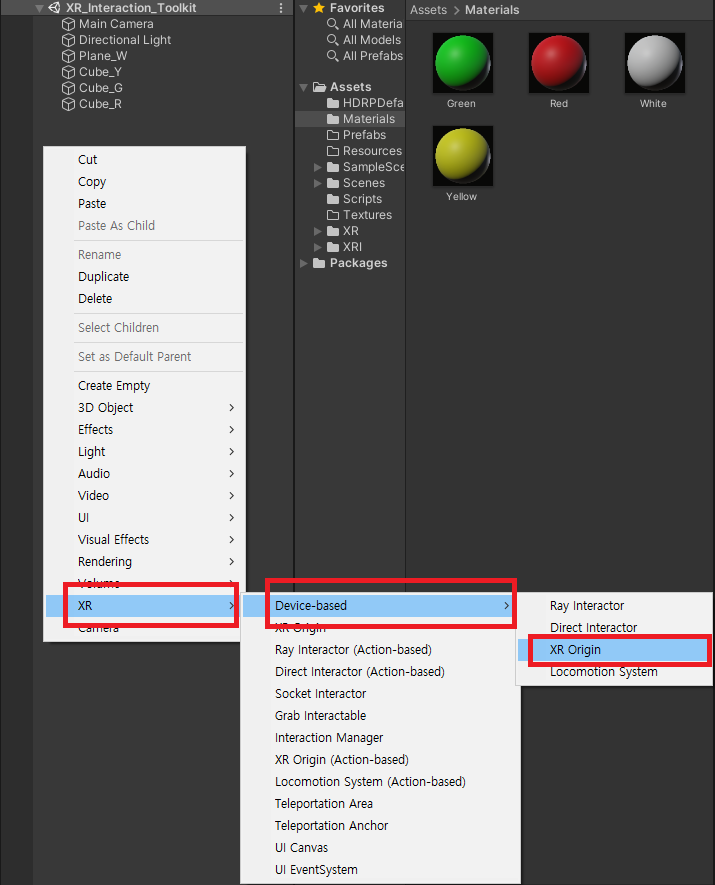
Hierarchy -> XR -> Device-based -> XR Origin 을 생성하여
XR을 조작할 사용자를 만들어 봅시다!
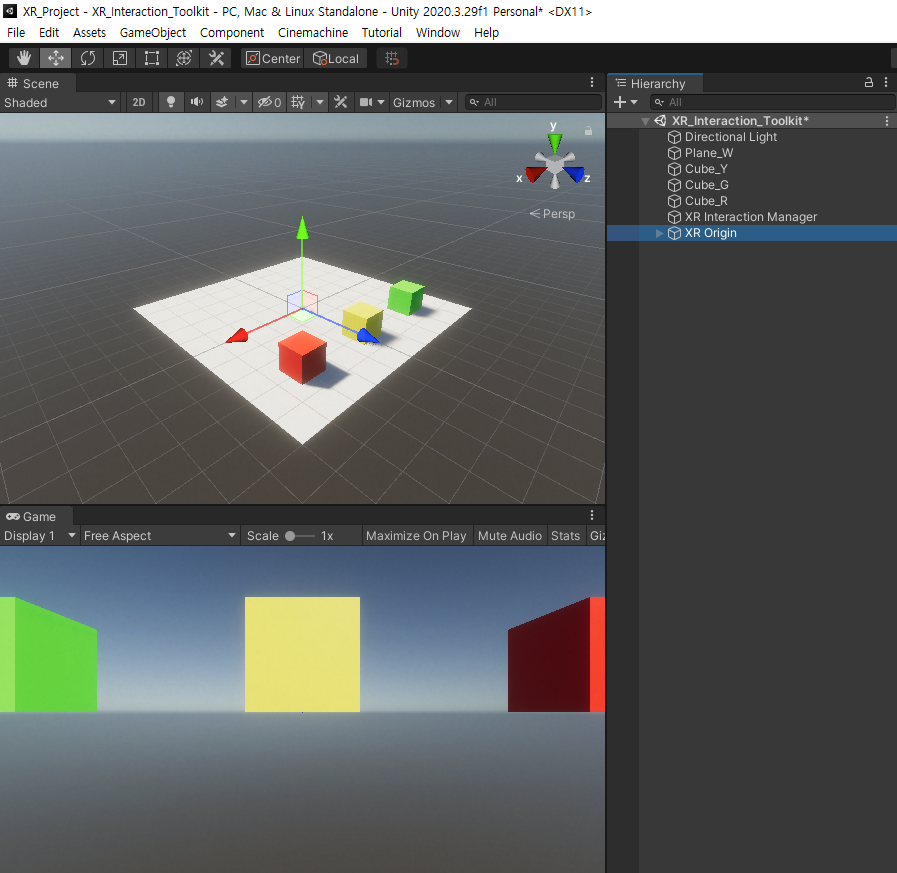
생성 시 기존의 메인 카메라가 XR Origin의 내부에 속해지면서
자연스럽게 게임 뷰도 바뀐 모습을 볼 수 있습니다!
https://docs.unity3d.com/Packages/com.unity.xr.interaction.toolkit@1.0/manual/index.html
XR Interaction Toolkit | XR Interaction Toolkit | 1.0.0-pre.8
The XR Interaction Toolkit package is a high-level, component-based, interaction system for creating VR and AR experiences. It provides a framework that makes 3D and UI interactions available from Unity input events. The core of this system is a set of bas
docs.unity3d.com
위 Unity 메뉴얼에 XR Interaction Toolkit의 기초적인 설명들이 나열되어 있지만,
한국어로 번역 해야함은 물론, 기능에 대한 세부적인 설명이 없어 다소 아쉬운 상황입니다.
그래서 가장 대표적인 기능들을 직접 다뤄보며
제공되는 컴포넌트 설명을
이어나가보도록 하겠습니다!
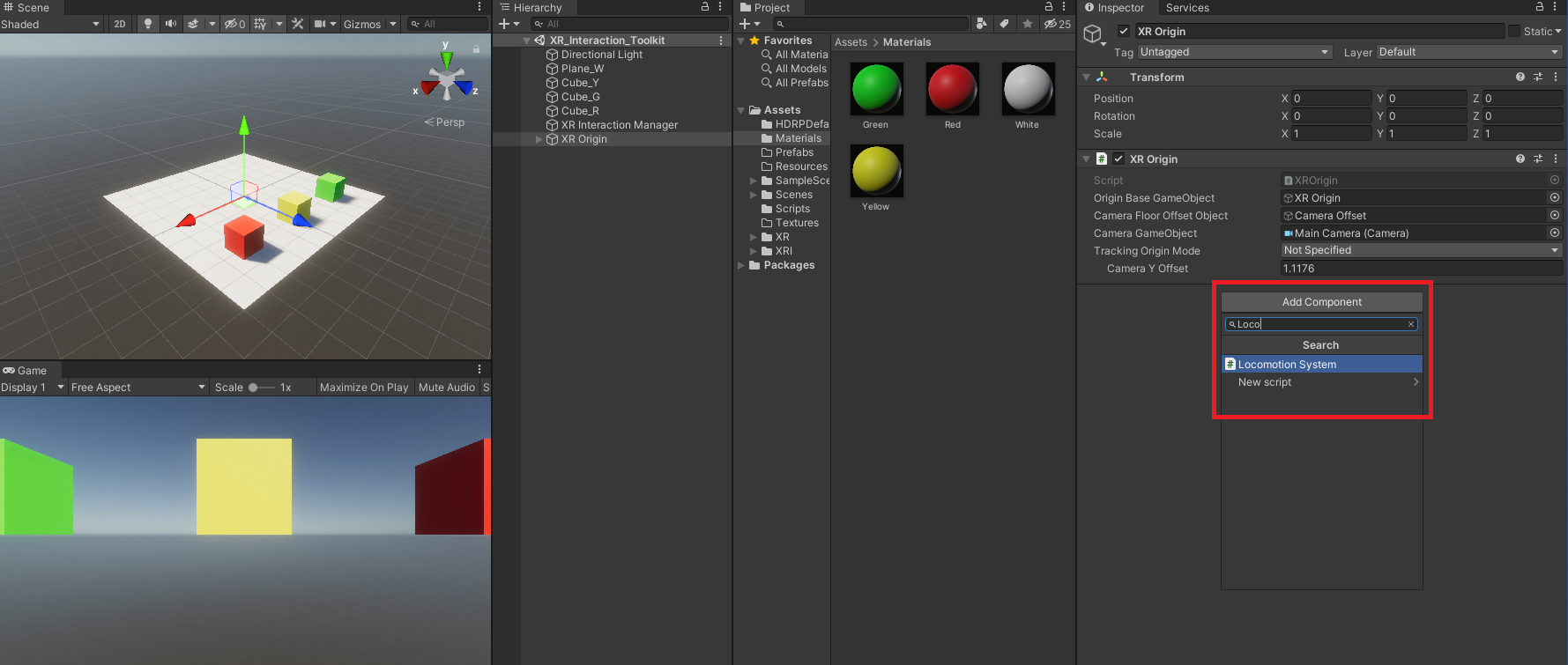
XR Origin 의 Inspector 에서 Locomotion System을 추가해줍니다.
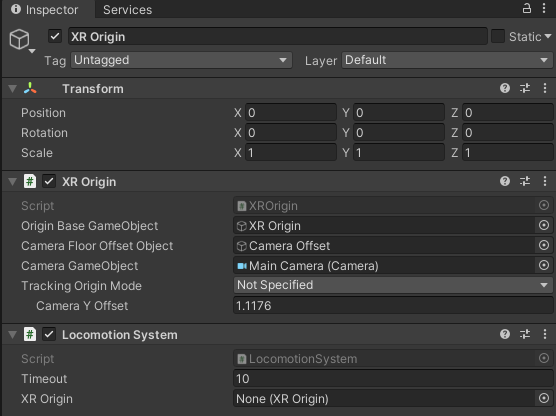
Locomotion System은 사용자(XR Origin)의 운동을 도와주는 컴포넌트 인데요,
Locomotion
The XR Interaction Toolkit package provides a set of locomotion primitives that offer the means to move about a Scene during an XR experience. These components are:
- An XR Rig that represents the user
- A Locomotion System that controls access to the XR Rig
- A teleportation system with teleportation destinations
- A Snap Turn Provider that rotates the rig by fixed angles
- A Continuous Turn Provider that smoothly rotates the rig over time
- A Continuous Move Provider that smoothly moves the rig over time
The Locomotion documentation explains these sections in more detail.
출처 : Unity Manual
Locomotion System 은 사용자(XR Origin)의
이동, 회전, 텔레포트 등 모든 움직임에 대한 전반적인 활동을 도와주고 있으며,
Locomotion System이 있어야 추가되는 컴포넌트들이 작동할 수 있습니다.
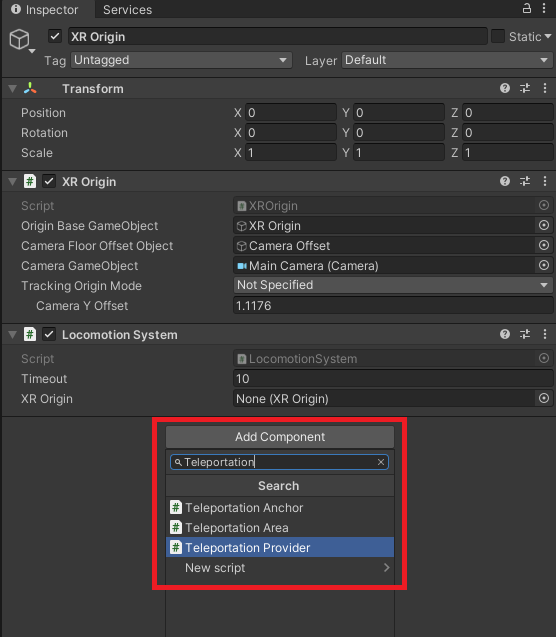
XR Origin 의 Inspector 에서 Teleprotation Provider을 추가해줍니다.
Teleprotation Provider는 텔레포트를 공급해주는 자
즉, 텔레포트를 할 사용자를 의미합니다.
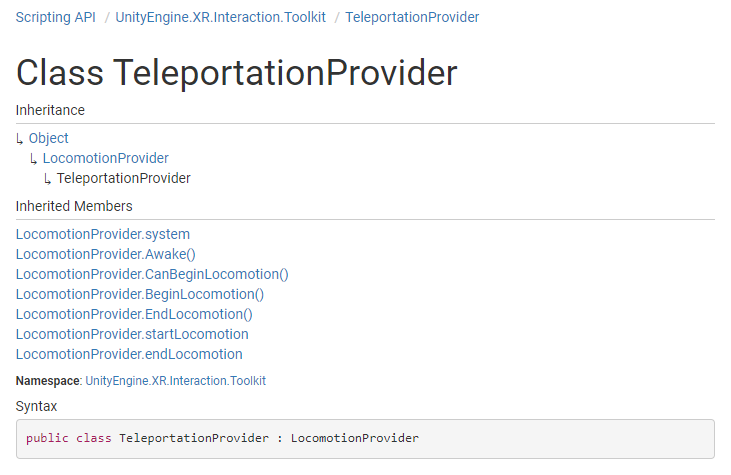
로코모션 시스템의 관리하에 작동되며,
XR Origin의 컨트롤러로 텔레포트 할 수 있도록 해주는 컴포넌트 입니다!
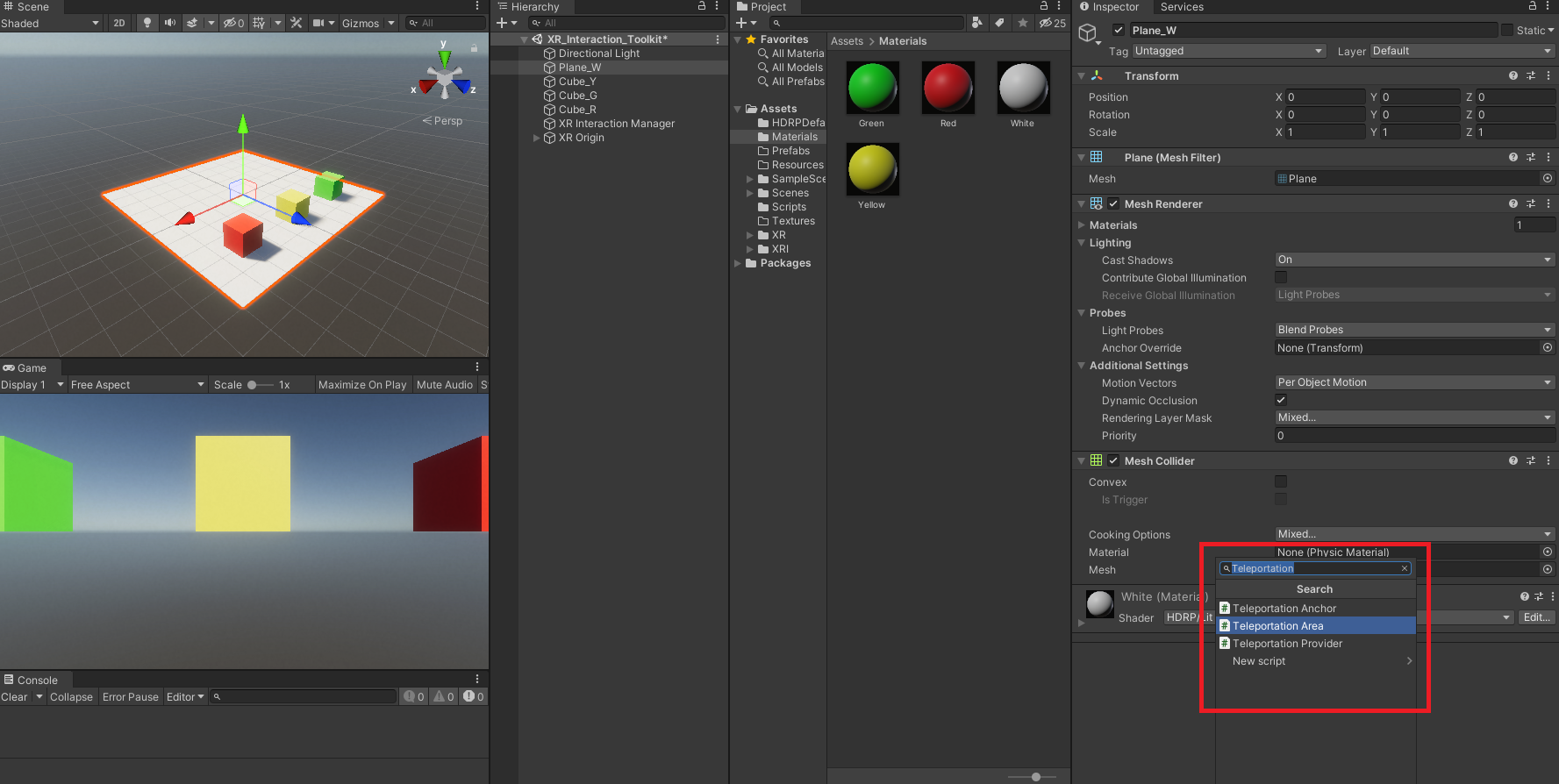
하지만, Teleportaion Area가 없다면 Provider 만으로는 작동이 안됩니다!
Interaction 이 안되기 때문이죠,
따라서 위와 같이 바닥에 Teleportation Area를 추가하여 줍니다!
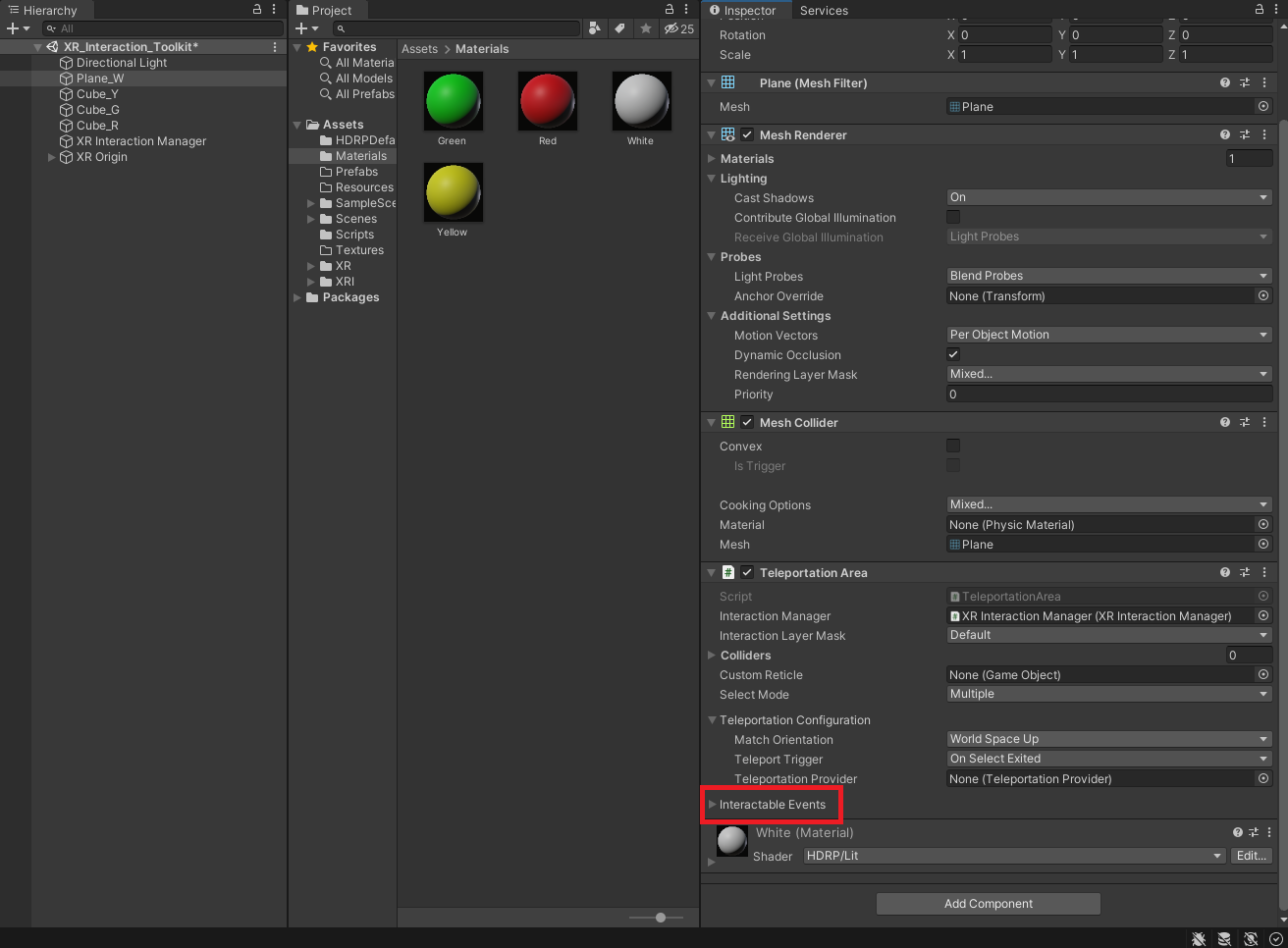
컴포넌트 추가 후,
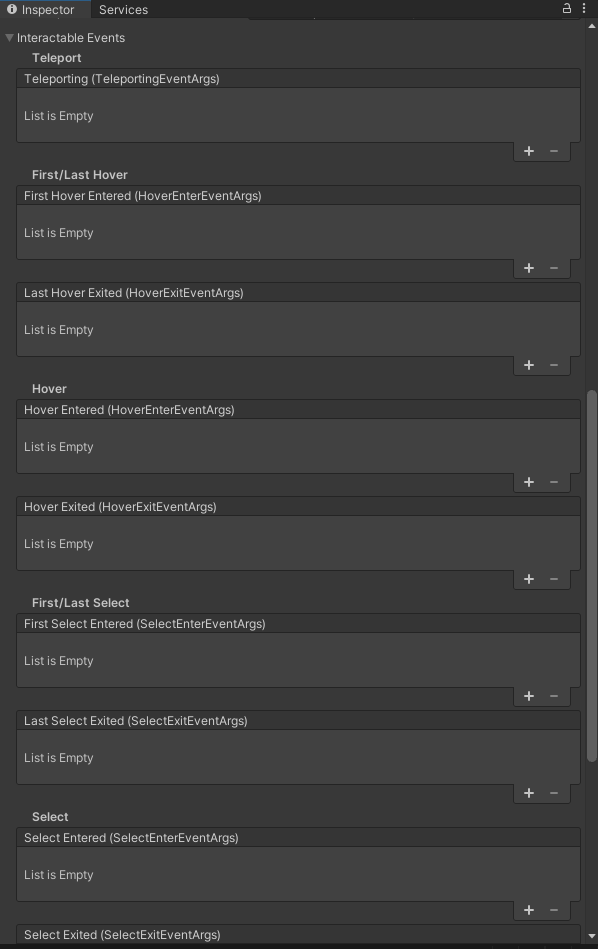
Interactable Events를 펼쳐 보시면
굉장히 많은 이벤트 들이 있습니다~
크게 Teleport, Hover, Select, Activate 가 있는데
이 세부 이벤트에 대해서는 따로 다뤄보도록 하겠습니다!
감사합니다.
'UNITY × 인터렉션 툴 킷' 카테고리의 다른 글
| [ XR Interaction Toolkit ] 이란? 셋팅 및 설치 가이드 (0) | 2022.02.24 |
|---|
